
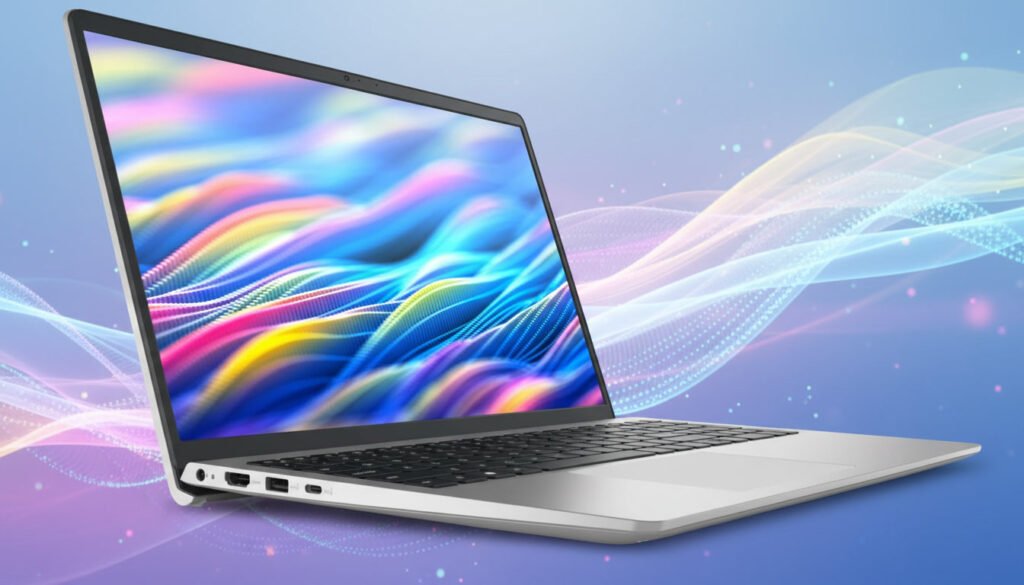
It can be hard to choose the right laptop for daily work, school, and long-term use in today’s market, where there are thousands of choices. I’ve had the Dell Inspiron 3530 for a while now, and in this blog, I’m going to talk about my real-life experiences with it.
This review isn’t based on specs or business brochures that were copied. The picture instead shows how the laptop really feels when you open it up in the morning, work all day, take short breaks, and then use it until the end of the day.
Key Specifications
| Category | Specification |
|---|---|
| Model | Dell Inspiron 3530 |
| Operating System | Windows 11 Home (64-bit) |
| Processor Options | 13th Gen Intel Core i3-1305U / Core i5-1334U / Core i7-1355U |
| Graphics | Intel® UHD Graphics / Intel® Iris® Xe (varies by CPU) |
| Display | 15.6" FHD (1920×1080) WVA, 120 Hz, Anti-Glare |
| Touchscreen | No |
| RAM | 8 GB or 16 GB DDR4 (2666 MHz) |
| Storage | 256 GB / 512 GB / 1 TB M.2 PCIe NVMe SSD |
| Wireless | Wi-Fi 6 + Bluetooth 5.x |
| Ports | 1 × USB-C, 1 × USB 3.2 Gen 1, 1 × USB 2.0, HDMI 1.4, Headset Jack, SD Card Reader |
| Camera | Integrated HD Webcam (720p) |
| Keyboard | Standard Keyboard (Backlit optional) |
| Speakers & Audio | Built-in Stereo Speakers + Microphone |
| Battery | 41 Wh – 54 Wh (varies by model) |
| Weight | ~1.62 kg – 1.9 kg |
| Use Case | Everyday work, school, browsing & productivity |
First Look and Opening the Box
The simple, business-like look of the Dell Inspiron 3530 was the first thing that caught my eye when I got it. Dell hasn’t tried to make this laptop look cool. Instead, it has a nice, clean look. The laptop, charger, and some basic papers are safely put inside the box.
The laptop doesn’t feel either too heavy or too cheap when you pick it up. The build quality feels strong, even though the body is made of plastic. It’s easy to carry around in a bag every day for work or school. This might seem like a small trade-off if you like metal bodies, but it doesn’t really cause any issues in real life.
How well it was designed and built—simple but strong
People who like a clean and professional look will love the Dell Inspiron 3530’s style. It doesn’t have any bright colors or fancy designs; it has a simple finish. It makes you feel good to open or close the screen because the springs are strong.
The keyboard area and hand rest are set up well and feel good. Even after working for a long time, my hands didn’t feel tired. This laptop is mostly made for people who care more about comfort and dependability than flashy features.
Experience with the screen—Good for Everyday Use
A 15.6-inch Full HD screen on the laptop makes it great for everyday office work, online classes, YouTube, and movies. The screen has a coating that stops shadows, so they are less noticeable. The amount of brightness is just right for use inside.
I use this screen every day for long amounts of time to read documents, watch videos, and use multiple browser tabs. I don’t feel much eye strain. When it comes to changing photos, the color accuracy isn’t very good, but it’s fine for most people. This screen will not let you down if you are not a skilled graphic designer or video editor.
Performance—An Easy Time at Work Every Day
Based on my experience, the Dell Inspiron 3530’s speed seems to be just right. It comes with Apple 13th Gen Core i3 or i5 processors, which are powerful enough for everyday work. Windows starts up quickly, and programs open quickly as well.
I have used this laptop for:
Opening multiple Chrome tabs
Working on MS Word, Excel, and PowerPoint
Attending long Zoom and Google Meet meetings
Light photo editing and content writing
Honestly, during normal usage, I didn’t face any major lag or hanging issues. This laptop is not built for heavy gaming or high-end video editing, but for daily work, the performance feels reliable.
Keyboard and Trackpad – Good for Typing
If typing is a big part of your work, you will likely enjoy using the keyboard on the Dell Inspiron 3530. The keys are soft, and the key travel feels comfortable. Writing long articles or typing office emails feels easy.
The numeric keypad is also included, which is helpful for accounting or data-entry-related tasks. The trackpad is responsive, and Windows gestures work smoothly. Overall, the typing and navigation experience feels satisfying.
Speakers and Webcam – Fine for Online Meetings
The speakers fall into the average category. The volume is decent, and voices sound clear. For music or movies, external speakers or headphones will give better results, but for everyday use, the built-in speakers do the job.
The webcam is 720p, which is acceptable for online meetings and video calls. It’s not a premium webcam, but it works well enough for office calls and online classes.
Battery Life – Decent Backup for Mixed Use
In real-world usage, the battery life feels slightly better than average. With light tasks like browsing and document work, the laptop delivers around 4 to 6 hours of backup. If you increase brightness and do heavy multitasking, the battery drains faster.
Thanks to fast charging support, the battery can be topped up during short breaks, which feels quite convenient for daily use.
Ports and Connectivity – All the Essentials Covered
The Dell Inspiron 3530 offers a good selection of useful ports, including:
USB-A ports
USB-C port
HDMI port
Headphone jack
Wi-Fi and Bluetooth connectivity remain stable. Connecting an external monitor, keyboard, or mouse is easy. The laptop works well for both office and home setups.
Pros & Cons
Pros:
Reliable performance for daily work
Comfortable keyboard
Large Full HD display
Fast SSD storage
Trusted Dell brand
Cons:
Not suitable for gaming or heavy editing
Plastic body (less premium feel)
Battery life feels average under heavy use
Is Dell Inspiron 3530 Worth Buying in 2026?
From my own experience, I can say that the Dell Inspiron 3530 is a reliable and useful laptop. It wasn’t made to show off; it’s for people who just want to get their daily work done without stress.
There is a good Windows laptop on the market for a reasonable price that can handle daily work, schoolwork, and office chores. The Dell Inspiron 3530 is that laptop. It does its job quietly and doesn’t make any noise or have any features that aren’t needed. That’s why people who care more about dependability than style like it.
For more budget options, visit:
https://picksorted.com/best-laptops-under-500/