

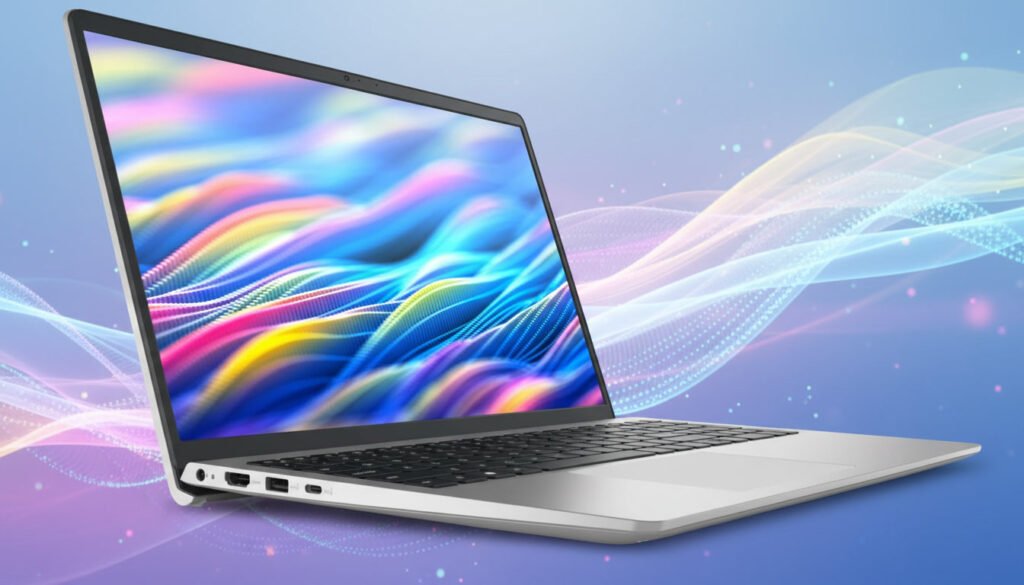
In this modern era, a laptop is not just a luxury item, but it’s a requirement and an important part of daily life, be it in the office, educational institutions, or at home. The market is flooded with lots of varieties of promising laptops in all budget categories, and the requirements vary from person to person. Some look for high-budget and premium ones, while some look for premium qualities at affordable prices. The Dell Inspiron 3530 comes under the budget-friendly category, which offers great value at an ideal budget.
But whether the laptop fulfils the desired requirement or not is the question here. So let’s discuss the features, functionality, pros, and cons in this complete review to understand whether the Dell Inspiron 3530 can be an ideal choice for you.
Key Specifications
| Category | Specification |
|---|---|
| Model | Dell Inspiron 3530 |
| Operating System | Windows 11 Home (64-bit) |
| Processor Options | 13th Gen Intel Core i3-1305U / Core i5-1334U / Core i7-1355U |
| Graphics | Intel® UHD Graphics / Intel® Iris® Xe (varies by CPU) |
| Display | 15.6" FHD (1920×1080) WVA, 120 Hz, Anti-Glare |
| Touchscreen | No |
| RAM | 8 GB or 16 GB DDR4 (2666 MHz) |
| Storage | 256 GB / 512 GB / 1 TB M.2 PCIe NVMe SSD |
| Wireless | Wi-Fi 6 + Bluetooth 5.x |
| Ports | 1 × USB-C, 1 × USB 3.2 Gen 1, 1 × USB 2.0, HDMI 1.4, Headset Jack, SD Card Reader |
| Camera | Integrated HD Webcam (720p) |
| Keyboard | Standard Keyboard (Backlit optional) |
| Speakers & Audio | Built-in Stereo Speakers + Microphone |
| Battery | 41 Wh – 54 Wh (varies by model) |
| Weight | ~1.62 kg – 1.9 kg |
| Use Case | Everyday work, school, browsing & productivity |
A bit about the brand
Founded by Michael Dell, Dell company has evolved with innovative technologies and products across the globe since 1984. It has now become a massive global industry in technology infrastructure, which provides laptops, personal computers, cybersecurity solutions, data storage, and many more modern devices and tools. Its headquarters is situated in Texas.
With advanced infrastructure and technology, Dell has now become one of the most popular, reliable, and reputable brands. The Dell Inspiron 3530 is one such model on which you can rely for your basic daily necessities without spending a lofty amount.
Why is the Dell Inspiron 3530 the best choice?
There was a time when laptops were a symbol of luxury, and not everybody had the capability to afford them. People used to have desktop computers for office work, and even those had limited access. But times have changed now, and almost every household has at least one laptop, as people can afford one now without spending too much. There are numerous varieties of laptops available in the market, and some of them even come at an affordable price range.
The Dell Inspiron 3530 is one such product available in the market, which offers great value and claims to be well-suited for everyday tasks within a budget-friendly range.
Dell Inspiron 3530 features and specifications
The Dell Inspiron 3530 offers a practical, budget-friendly design, and it focuses on portability and claims to be user-friendly. It also provides a strong value for students as well as working professionals.
Design & Build Quality
A good laptop doesn’t only possess high-end features and functionality but also captivating looks. It’s the looks and design of the device that also attract a buyer, along with its specifications and features. The Dell Inspiron 3530 has a user-friendly lift hinge that makes it very comfortable while typing. It’s also very lightweight, which makes it easier to carry anywhere, anytime, hassle-free.
Building Materials
The chassis of the Dell Inspiron 3530 is mainly constructed from plastic along with a carbon-textured lid, which is basically designed to resist fingerprints. Despite being made of plastic, it maintains a sturdy build.
Weight and Portability
The Dell Inspiron 3530 weighs approximately 1.62 kg (3.57 lbs) and is considered to be very lightweight, which makes it highly portable and travel-friendly.
Keyboard and Touchpad
The Dell Inspiron 3530 comes with a full-size, backlit, spill-resistant keyboard along with a numeric keypad. If you are a typing person, you can ease your eyes while typing with the backlit keyboard even in a low-light environment. Its touchpad, on the other hand, is well equipped with precision, which helps in multi-touch gestures and seamless scrolling.
Verdict: The Dell Inspiron 3530 can be considered a premium laptop if we go by the looks. Moreover, its lightness makes it highly portable to carry effortlessly.
Display
The display is another integral part of a laptop that gets the attention of a buyer. Customers may demand variety, like high definition or low definition or whatever other varieties are available in the market, but everything depends on the budget, after all. The Dell Inspiron 3530 offers a 15.6-inch display in two varieties—a Full High Definition (FHD) (1920×1080 pixels) with clear visuals and a basic HD (1366×768 pixels).
The FHD has a 120 Hz refresh rate, which offers smooth scrolling, and it also provides wide viewing angles. Whereas the HD version has a 60 Hz refresh rate and limited viewing angles.
Brightness: The FHD versions’ brightness peaks at 250 nits, whereas the HD versions’ peak at 220 nits. Well, it may be sufficient for indoor usability, but one may struggle in bright outdoor settings.
Colour Accuracy: Its configurations are suitable for general office work, online streaming, and taking notes, but might not be ideal for high-end professional jobs.
Comfort View: It has a software-enabled technology that helps to reduce harmful blue light emission and protects the eyes during longer sessions.
Verdict: The Dell Inspiron 3530 offers a fine, solid 15.6-inch display along with a modern aesthetic look that meets general needs, though it may not be appropriate for high-end professionals.
Performance
The looks and design of a laptop are in vain if it doesn’t perform well. So the most important feature of a laptop is its performance. The Dell Inspiron 3530 is a reliable design mostly for students and working professionals who emphasize multitasking on a daily basis rather than gaming or high-end creative activities.
Processor: Intel 13th Gen Core Processor, ranging from i3 to i7.
Storage: 512 GB to 1TB SSD
RAM: 8 GB to 16 GB DDR4.
Graphics: Integrated Intel Iris Xe Graphics for i5 and i7 models and integrated Intel UHD Graphics for i3 models.
Ideal Usages
The Dell Inspiron 3530 is designed for multitasking and is suitable for students and working professionals who prefer multitasking on a regular basis rather than high-end creative or gaming activities.
Academic Purpose: Its HD and FHD displays and lightweight design make it highly ideal for academics, whether in classrooms or at home.
Office Purpose: It’s highly recommended for those who generally work from home and serves the purpose of basic and light office works like Zoom meetings, general presentations, online activities like streaming and browsing, etc.
Programming and Coding: It’s an Intel Core i7 with 16 GB RAM, highly configured for coding and programming environments.
Entertainment Purpose: Its Full High Definition (FHD) display makes it a wonderful choice for online streaming, watching movies, etc.
Verdict: The Dell Inspiron 3530 is well equipped for daily basic necessities for educational, office, or entertainment purposes. Though not ideal for gaming or advanced creative works.
Battery life
Battery life or backup is another integral part of a laptop. If the battery runtime is very low, then the laptop might not be suitable for many activities. The Dell Inspiron 3530 has primarily two battery configurations. The HD version has a 3-cell 41Wh configuration, whereas the FHD has a 4-cell 54Wh configuration.
The HD version has a lower run time than the FHD version. It claims to run up to 10-12 hours, but its real-time experience claims to run up to 5-6 hours only. The Dell Inspiron 3530 comes with a fast-charging technology that is able to charge the battery up to 80% only within an hour.
Some users complained about heating problems under heavy workloads. It also causes fan noise due to the heating problem.
Verdict: The battery life of the Dell Inspiron 3530 is quite decent. It can work moderately when used for light activities, but with a heavy workload, it may not run as efficiently as one can expect.
Connectivity and port
When a laptop is well equipped with an ample amount of connectivity and ports, it’s truly enjoyable to work with, as one can get involved in multiple activities at a time.
The Dell Inspiron 3530 is equipped with all the necessary connectivity and ports.
USB-C: It has one USB-C with 3.2 Gen 1 ports, which helps data transfer up to 5 Gbps.
USB-A: It has two USB-A ports with 3.2 Gen 1 for standard high-speed devices and another with 2.0 for low-speed devices.
Audio Output: One global headset jack for headphones with a microphone.
Video Output: It has one HDMI 1.4 port, which supports up to 1080p at 60 Hz or 4K at 30 Hz.
Card Reader: It comes with a full-size SD card slot, which helps to expand the storage.
Verdict: The Dell Inspiron 3530 has all the necessary connectivity and ports which are needed in a modern-day device for performing multifunctional activities.
User Experience
Strengths – The Dell Inspiron 3530 is well-praised by its users as a high-value device. One of its most significant features is its 120 Hz refresh rate on FHD models, which ensures smooth scrolling. Another strong feature is its upgradable RAM and storage. Its lift-hinge design makes typing comfortable, while its lightweight design makes it highly portable.
Limitations – During longer sessions or heavy multitasking, the device runs hot and the fan makes loud noises. It may work fine for daily and basic necessities, but for gaming purposes, it may not be an ideal choice. Its plastic outer body looks less premium than the aluminum alternatives, and the touchpad also lacks dedicated buttons. The battery life can run only up to 5-6 hours at most.
Pros and Cons of Dell Inspiron 3530
Pros
- Total value for money.
- Provides strong performance for basic utilities for students and working professionals.
- Lightweight and portable.
- FHD display.
- Well equipped with necessary connectivity and ports.
Cons
- The display is dim, not sufficient for brighter outdoor settings.
- Runs hot when used extensively.
- Not suitable for gaming.
- No USB-C charging.
Why buy the Dell Inspiron 3530?
The Dell Inspiron 3530 is designed to be a reliable, strong purchase choice if you focus on performance. It’s worth buying for everyday tasks, studying, coding, and entertainment purposes.
Its FHD display provides visual smoothness compared to others available in the market in this price range. Its 13th Gen Intel Core processors can handle heavy multitasking.
It can be an ideal choice on an affordable budget for those who enjoy multitasking along with some entertainment.
FAQ
Is the Dell Inspiron 3530 ideal for students?
Yes, its friendly budget, lightweight, and multifunctional features are ideal for students, as they can easily take notes, make assignments, have online classes, and do other academic activities. Also, its battery is sufficient for a day’s work, and its keyboard and touchpad are comfortable enough for smooth scrolling and typing.
Does it support gaming?
No, it doesn’t support gaming; it’s basically designed for general office and academic purposes.
What is the longevity of the battery?
Though it claims to have a run-time of 10-12 hours, its real-time longevity is only 5-6 hours at most.
Are the RAM and storage upgradeable?
The Dell Inspiron 3530 comes with either 8 GB or 16 GB of RAM. Its primary and secondary slots in internal storage are also meant for bulk storage, which is approximately 1 TB and 2 TB, respectively.
Does it heat up easily?
It doesn’t heat up easily; only when used in longer sessions and heavy multitasking can it result in heating of the device.
Final Verdict
The Dell Inspiron 3530 is a versatile, high-value device one can rely upon for everyday tasks, be it academics, work, or entertainment. The features it provides are not easily available in the market at such an affordable price. It has its limitations, but still, it is well-praised for its performance. It might not look premium, but its display and multifunctional quality can give a premium feel.
If you want to see more options, check our guide on Best Laptops Under $500.