

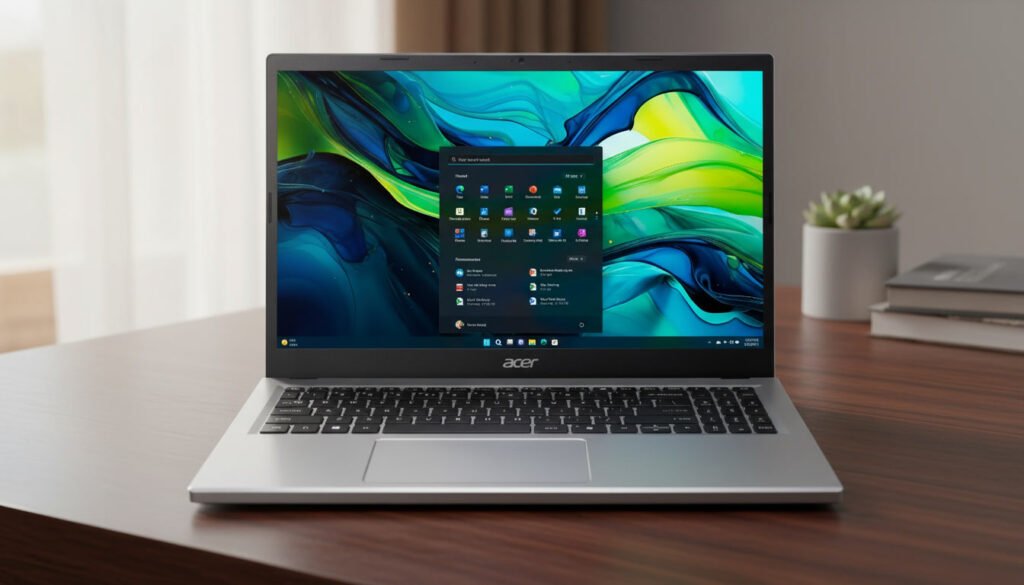
In 2026, the laptop market is crowded with innumerable options ranging from ultra-premium built to barebone budget models. Amongst these innumerable laptop models, the Acer Aspire Go 15 has successfully positioned itself in the middle in terms of affordability, practicality, and design for everyday users who need a reliable companion for studies, office work, or light entertainment.
But does it truly deliver on its promise of being the “perfect laptop” for students and professionals? Let’s understand this with this complete review of the Acer Aspire Go 15 model by delving deep into its design, performance, usability, and long-term value and thereby determine whether it can be the best match for you!
Key Specifications
| Specification | Details |
|---|---|
| Processor | Intel Core i3-N305 (Octa-core) |
| RAM | 8 GB LPDDR5 |
| Storage | 128 GB SSD |
| Graphics | Intel UHD Graphics |
| Display | 15.6″ Full HD (1920×1080) IPS |
| Operating System | Windows 11 Home in S Mode |
| Battery Life | Up to ~10 hours |
| Wireless | Wi-Fi 6 & Bluetooth |
| Ports | USB-C, USB-A, HDMI |
| Weight | ~1.75 kg |
A bit about the brand
Founded in the year 1976, Acer has become the backbone of the laptop industry for fulfilling the needs of the people in the best possible ways. Whether in terms of budget-friendliness, top-notch functionalities, or the customer support, Acer has been backing us with all of them.
With time, and with the evolution of the utility of the laptops, Acer has also evolved with the best features and functionalities embedded in their laptops. In fact, in many of them, Acer has set the milestone as well. The Acer Aspire Go 15 is one such model that will give you relief from all your dilemmas about the best-functioning or budget-friendly laptop to choose.
What makes the Acer Aspire Go 15 the best choice?
Whether for office or personal uses, whether for students or working professionals, the usefulness of laptops cannot be ignored. Although laptops are useful, the majority of the people think of buying one that can give them as many features as possible at a budget-friendly price. Of course, they don’t want to stress their pocket much.
Acer, being one of the biggest tech giants in the industry, is always very relentless on its customer expectations. This led them to introduce the best models that not only help people to enjoy the best uses from the laptops but also at truly budget-friendly prices. Acer Aspire Go 15 is one such model that can leave you with breath-warming benefits.
Acer Aspire Go 15 features and specifications
Acer Aspire Go 15 is considered one of the best models in 2026 with its top-notch features that truly match the needs of the people. Let’s get to know each of them here!
Design & Build Quality
Before the inner features and functionalities, the most important thing that attracts the attention of the buyers is the outer design and build quality. And, in most of the ways, Acer Aspire Go 15 has won the hearts of people.
It’s a tad heavy laptop, weighing in at 3.72 pounds. It’s quite lightweight for a laptop with a 15-inch screen. However, considering the fact that it’s a lower-end model with no high-end hardware, it’s reasonable to make it light, since it doesn’t depend on the power of an extensive cooling system. With its larger display and the larger bezels, the Acer Aspire Go 15 ends up looking a bit big also. At the very least, Acer limited the depth to 0.78 inches, and it is slim enough to be able to slip into laptop cases.
Minimalist Aesthetic: The Aspire Go 15 sports a clean design. It’s not fancy, but it looks professional enough to fit into either classrooms or boardrooms.
Build Material: With durable plastic and a matte finish look, it resists fingerprints easily. But it doesn’t feel as premium as aluminum-clad laptops.
Weight & Portability: Weighing around 1.7–1.8 kg, it’s light enough to carry in a backpack without straining the shoulders.
Keyboard & Trackpad: Full-sized keyboard with decent key travel, comfortable for longer typing sessions.
The trackpad is responsive, though slightly smaller compared to other brands in the market.
Verdict: Practical design, sturdy enough for daily use, but not luxurious.
Display
The second most important thing in a laptop is its display. Whether it is wider or narrower, whether it is clear or hazy, whether it is bright and adjustable or cloudy, everything matters a lot. Especially, these features ensure ease and comfort for the eyes while working on the laptop for a longer period.
Size: 15.6-inch Full HD (1920 × 1080) panel.
Quality: IPS technology ensures good viewing angles, though brightness levels are average.
Color Accuracy: Suitable for office work, streaming, and casual design tasks, but not ideal for professional photo/video editing.
Bezels: Slim bezels give it a modern look, maximizing screen real estate.
Verdict: A solid display for everyday tasks, though creatives may find it lacking in color precision.
Performance
The performance of a laptop makes the true deal for any laptop enthusiast. As it is one of the most suggested features to check by any budget, one should always check if the laptop is laggy or speedy, handles the regular tasks seamlessly, etc. And Aspire Go 15 has conveniently met them all.
The Aspire Go 15 comes in multiple configurations, but the most common setup includes:
Processor: Intel Core i5 (13th or 14th Gen depending on region).
RAM: 8GB DDR4 (upgradable to 16GB).
Storage: 512GB SSD, ensuring fast boot times and quick file access.
Graphics: Integrated Intel Iris Xe graphics.
Real-World Usage
Now coming to the usability of the laptop, it is important to note your particular needs and requirements to understand if the laptop you are looking to buy will go with that or not. It is thus vital to understand whether you want this for academic, office, or entertainment purposes, and if you thereby make the choice, you can definitely unearth the best benefits from the laptop. But Aspire Go 15 can meet your needs for any of these purposes.
Academic Use: Aspire Go 15 can handle research, online classes, note-taking, and multitasking with ease.
Office Work: Smooth performance for spreadsheets, presentations, emails, and video calls, this laptop has covered you all.
Entertainment: With Aspire Go 15, you can flawlessly stream HD content. It also allows casual gaming but is limited to less demanding titles.
AI & Productivity Tools: With Windows 11 and AI-powered features, it supports modern workflows like smart search and voice assistance.
Verdict: Reliable mid-range performance, perfect for students and professionals, but not built for heavy gaming or advanced creative workloads.
Battery Life
Battery life is another vital thing that seeks the attention of the buyers after all the outer design and build quality. Everyone looks for a laptop that has a longer battery life and fast charging features so that they don’t need to be on standby for a long time to get their work done.
Although it’s running a slower processor, it’s still not consuming the energy. Intel, Qualcomm, and AMD have all stepped up their game lately when it comes to power efficiency; however, the outdated 13th Gen Intel Core processor in the Acer Aspire Go 15 isn’t the recipient of any of these improvements.
To achieve the brightness in our test, it was necessary that the Acer Aspire Go 15 display be at the brightness of 88 percent. It’s possible that it’s not running effectively at that brightness since many electronic devices have diminishing returns when they are turned up to maximum. But, as it is, the Acer Aspire Go 15 comes with an anti-glare display. It makes it slightly easier to work by keeping its brightness at lower levels in order to save power. In normal usage it is not able to last for long. The The Acer Aspire Go 15 struggles to achieve six hours of running time when the brightness of the display is decreased.
Capacity: Around 42 Wh battery.
Usage Time: 6–7 hours on moderate use (web browsing, document editing, streaming).
Charging: Fast-charging support, reaching ~50% in under an hour.
Verdict: Decent battery life for a day of classes or meetings, though frequent travelers may want more endurance.
Connectivity & Ports
If you don’t have ample options to play with on your laptop, it might not be thrilling you to buy one, would it? Understanding this need, Acer Aspire Go 15 gives you many options to play and enjoy your time while working to the fullest.
It has a number of connectivity options and ports that include,
USB-C: It has USB-C that supports charging and data transfer.
USB-A: Multiple ports for legacy devices.
HDMI: For external displays/projectors.
Audio Jack: Standard 3.5mm.
Wi-Fi 6 & Bluetooth 5.2: Ensures fast and stable wireless connections.
Verdict: Aspire Go 15 is, by any means, well-equipped for the modern connectivity needs of the users.
Software & User Experience
The Aspire Go 15 comes with Windows 11 Home, which is optimized for productivity and modern workflow management. With the interface, a centered Start menu, and a streamlined taskbar, this laptop makes navigation intuitive even for first-time users. It also offers built-in features like Snap Layouts, which help organize multiple windows, which is especially useful for multitasking between assignments, research, and video calls.
Aspire Go 15 also ships with some pre-installed software that you won’t need to struggle with. It comes with a complete bundle of Microsoft Office Suite (Word, Excel, and PowerPoint), giving students and professionals immediate access to essential tools. This time, it is also embedded with Acer Care Center, a utility app that allows easy system updates, quick diagnostics, constant battery health monitoring, and much more.
Furthermore, unlike older Acer models that were notorious for clutter, the Aspire Go 15 keeps pre-installed apps to a minimum, ensuring faster boot times and less distraction.
Some of the essential software and user experiences of Aspire Go 15 include,
Multitasking: With 8GB RAM, switching between tabs, documents, and streaming services becomes smooth. For heavier multitasking people, it can also be upgraded to 16 GB RAM. This memory expandability feature often lags in many of the competitor models.
Updates: Aspire Go 15 offers simultaneous Windows updates in the background without disrupting your workflow. However, occasional restarts are required after some updates for quick access to the updated features and functionalities.
Boot & Load Times: In the presence of SSD, this model by Acer makes the startup quicker and hassle-free, under 15 seconds.
Pros & Cons of Acer Aspire Go 15
Pros
- Affordable pricing
- Solid performance for academics & office
- Full HD IPS display
- Lightweight & portable Speakers are underwhelming
- Good connectivity options
Cons
- Average build quality
- Not suitable for heavy gaming
- Battery life could be longer
- Speakers are underwhelming
- Trackpad slightly small
Who Should Buy the Acer Aspire Go 15?
Considering all the features, pros, and cons of the Acer Aspire Go 15, if you want to understand whether this laptop is suitable for your requirements and needs or not, then here we are. If you are a student or office goers, and want a laptop for note-taking, online sessions, assignments, light entertainment, or for greater productivity tasks, presentations, and remote work, this laptop could be a perfect choice for you. It is also ideal for continuous browsing, streaming, and daily computing needs.
Also, if you want to purchase a laptop that can give you long-term value, at least for 2-3 years of durable usage, without much interruption, going with this laptop model can be an ideal decision.
However, if you are a gamer, content creator, or professional needing high-end graphics performance, it is not an ideal option for you.
FAQ
Is the Acer Aspire Go 15 ideal for students?
Yes. Aspire Go 15 is an ideal choice for the students. For its lightweight, affordable, and powerful features for research, online classes, assignments, and note-taking, this can be your true companion for regular use. Also, its battery life makes it sufficient for a day of lectures, and the comfortable keyboard makes it smooth for long typing sessions.
Does it support gaming?
Although it’s not designed for heavy gaming, you can still enjoy casual titles like Minecraft, Sims, or older games. However, modern AAA games will make the system lag due to integrated graphics.
What is the longevity of batteries?
The battery can last up to 6–7 hours with moderate use for web browsing, document editing, and streaming. However, for heavy tasks like video calls or multitasking, it may reduce this to 3-4 hours depending upon the usage.
Can I upgrade the RAM and storage?
Yes. The Aspire Go 15 typically comes with 8GB RAM and a 512GB SSD, but RAM can be upgraded to 16GB, and storage can be expanded with external drives or replacement SSDs.
Does it heat up easily?
No. For everyday tasks, it stays cool and quiet. Under heavier loads, the fans starts operating automatically to make it cool, which becomes audible but not distracting.
Final Verdict
The Acer Aspire Go 15 is a budget-friendly, practical laptop that maintains a balance between affordability and functionality. Although it’s not a premium or top-notch laptop amongst other competitors out there, it isn’t pretentious to be one. So, you might not need to compromise with features and functionalities while choosing this laptop, but you might not be enjoying premium and high-end performance with it.
If you want to see more options, check our guide on Best Laptops Under $500.